이미지 선택
이미지 비교는 로컬 PNG, JPG, JPEG, WebP 파일 두 개나 내장 예시로 시작합니다.브라우저 로컬 이미지 비교
이미지 비교, 무료.
비교 사진, 사진 비교, 비교 이미지, 얼굴 비교, AI 이미지 비교 변형을 업로드 없이 브라우저에서 확인합니다.
브라우저 로컬 콘솔
이미지 비교 도구
실제 전후 예시로 시작하거나 준비된 사례를 넘겨 보고, 한쪽을 직접 선택한 PNG, JPG, JPEG, WebP 파일로 바꿀 수 있습니다.
이미지는 이 브라우저 세션에만 남습니다PNG, JPG, JPEG, WebP픽셀 지표는 차이 강조 후에만 표시
픽셀 일치
로컬 차이 실행로컬 차이 필요변경 픽셀
로컬 차이 실행로컬 차이 필요RMSE
로컬 차이 실행로컬 차이 필요

픽셀 점수 대기 중
차이 분석
브라우저 로컬 차이를 실행해 결과와 측면 지표 카드를 채우세요.시각적 변화
로컬 차이 실행로컬 차이 필요평균 RGB 델타
로컬 차이 실행로컬 차이 필요PSNR
로컬 차이 실행로컬 차이 필요1
이미지 추가
한쪽 이미지를 교체하거나 파일을 슬롯에 끌어오세요.
이미지 A에 사용할 PNG, JPG, JPEG 또는 WebP 파일을 선택하거나 놓으세요.
A
원본 / 이전
이미지 B에 사용할 PNG, JPG, JPEG 또는 WebP 파일을 선택하거나 놓으세요.
B
수정본 / 이후
2
보기 선택
중앙 뷰어에서 두 이미지를 비교하는 방식을 바꿉니다.
3
결과 요약
로컬 픽셀 점수를 보려면 뷰어 근처에서 로컬 차이를 실행하세요. 이 브라우저에서 계산됩니다.
보기 선택
이미지 비교 슬라이더, 나란히 이미지 비교, 오버레이 이미지 비교, 차이 강조를 하나의 흐름에서 전환합니다.결과 요약
차이 강조는 이미지 비교의 시각 검토 후 로컬 픽셀 지표를 만듭니다.모드
이미지 비교: 슬라이더, 나란히 보기, 오버레이, 로컬 차이
이미지 비교 도구는 시각 검토와 계산된 픽셀 결과를 분리해 차이 강조를 실행하기 전까지 점수를 보류합니다.
이미지 비교 슬라이더
이미지 비교 슬라이더는 이미지 비교와 비교 사진의 전후 변화를 확인할 때 적합합니다.
나란히 이미지 비교
나란히 이미지 비교는 두 파일을 함께 보여 주어 사진 비교와 레이아웃 차이를 확인하기 쉽습니다.
오버레이 이미지 비교
오버레이 이미지 비교는 정렬, 색상, 자르기, 간격 변화를 살펴볼 때 유용합니다.
차이 강조
차이 하이라이트로 시작해 임계값을 조정하고 변경 픽셀, 평균 RGB 델타, RMSE, PSNR을 로컬 비교로 확인합니다.
이미지 차이 검사기사용 사례
차이를 분명하게 보는 이미지 비교
사진 비교, AI 이미지 비교, JPEG PNG 이미지 압축 비교, 얼굴 비교, 스크린샷, 제품 편집을 같은 흐름으로 확인하세요.
할 수 있는 작업
이미지 비교 도구는 두 파일을 선택해 로컬로 미리 보고, 업로드, 계정, 공유 링크 없이 브라우저에서 비교합니다.
AI 이미지 비교
AI 이미지 비교는 생성된 이미지 변형을 시각적으로 비교하는 용도이며 자동 AI 분석을 의미하지 않습니다.
사진 비교
사진 비교는 보정, 색상 수정, 자르기, 정리, 전후 확인에 사용할 수 있습니다.
JPEG PNG 이미지 압축 비교
JPEG PNG 이미지 압축 비교는 내보낸 파일을 검토하는 흐름이며 압축 서비스가 아닙니다.
비교 사진
비교 사진 예시는 제품, 스크린샷, 스캔, 디자인 수정본, 생성 변형을 포함할 수 있습니다.
나란히 이미지 비교
나란히 이미지 비교는 UI 스크린샷, 시각 QA, 제품 이미지 수정 확인에 유용합니다.
얼굴 비교
얼굴 비교는 인물 사진의 시각적 비교로 제한되며 신원 확인이나 생체 매칭이 아닙니다.
방법
시각 검토와 로컬 픽셀 확인을 함께 쓰는 이미지 비교
이미지 비교 슬라이더, 오버레이 이미지 비교, 나란히 이미지 비교는 사람이 보는 검토를 돕고, 차이 강조는 요청할 때만 로컬 지표를 계산합니다.
이미지 비교 시각 검토
사람이 직접 보는 확인이 가장 명확할 때 이미지 비교 슬라이더, 오버레이 이미지 비교, 나란히 이미지 비교를 사용하세요.
차이 강조 로컬 지표
차이 강조는 두 이미지가 모두 로드된 뒤 실행되므로 픽셀 지표는 브라우저 API에서 계산됩니다.
PNG, JPG, JPEG, WebP 흐름
이미지 비교 도구는 현재 PNG, JPG, JPEG, WebP를 지원합니다. 지원하지 않는 이미지 형식은 지원한다고 표시하지 않습니다.
가이드
비교 이미지와 비교 사진를 한 페이지에서 검토
이미지 비교, 비교 이미지, 비교 사진 중 무엇으로 시작하든 선택한 파일은 로컬에 남습니다.
비교 이미지
비교 이미지는 제품 편집, UI 스크린샷, 생성 변형, 스캔 정리, 보정 전후 쌍이 될 수 있습니다.
온라인 이미지 비교
온라인 이미지 비교는 페이지 안에서 실행되며 선택한 파일은 로컬 브라우저 세션에 남습니다.
비교 사진
비교 사진 확인은 시각 검토만으로 충분한지, 차이 강조를 실행할지 판단하는 데 도움이 됩니다.
얼굴 비교
얼굴 비교는 인물 사진 검토로만 설명되며 신원이나 생체 정보 판단을 약속하지 않습니다.
예시
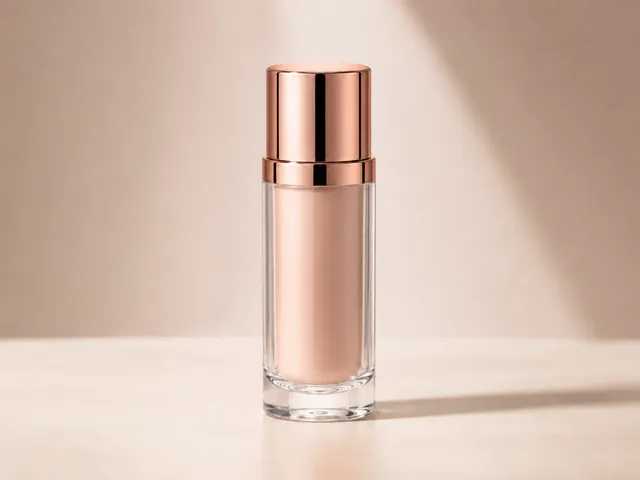
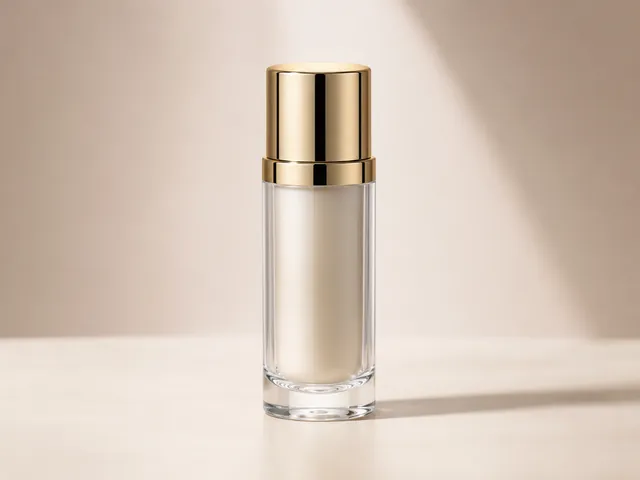
이미지 비교 예시
전후 편집, 제품 이미지, 인물, 실내, 풍경 변형을 이미지 비교와 비교 사진 예시로 미리 확인하세요.






작업 흐름
로컬 파일에서 검토까지 이어지는 이미지 비교
이미지 두 장을 선택하고, 모드를 고르고, 보이는 차이를 확인한 뒤 검토가 끝나면 초기화하세요.
이미지 선택
이미지 비교를 위해 기기에서 원본 이미지와 변경된 이미지를 선택합니다.
보기 선택
이미지 비교 슬라이더, 나란히 이미지 비교, 오버레이 이미지 비교, 차이 강조 사이를 전환합니다.
결과 요약
먼저 파일 정보를 확인하고, 픽셀 지표는 차이 강조 후 로컬로 계산합니다.
개인정보
브라우저 로컬 이미지 비교
이미지 비교 도구는 선택한 파일을 현재 페이지 세션 안에 둔 채 브라우저에서 확인하도록 설계되었습니다.
이미지 파일 처리 방식
- 선택한 이미지를 서버로 업로드하는 경로가 없습니다.
- 선택한 이미지에 대한 계정 흐름이나 공유 URL이 없습니다.
- 이미지 데이터, 객체 URL, 파일명, base64 데이터, 픽셀 결과를 분석 도구로 의도적으로 보내지 않습니다.
FAQ
이미지 비교 질문
답변은 표시된 이미지 비교 도구에 맞춥니다: PNG, JPG, JPEG, WebP, 네 가지 검토 모드, 브라우저 로컬 처리.
무료 이미지 비교인가요?
네. 무료 이미지 비교는 로컬 파일 두 개를 선택해 브라우저에서 미리 보고, 페이지에서 로컬 픽셀 확인을 실행할 수 있다는 뜻입니다.
이미지 비교 도구 형식은 무엇인가요?
이미지 비교 도구는 현재 PNG, JPG, JPEG, WebP로 작동합니다. 지원하지 않는 형식까지 지원한다고 표시하지 않습니다.
이미지 비교 슬라이더를 쓸 수 있나요?
네. 이미지 비교 슬라이더는 나란히 이미지 비교, 오버레이 이미지 비교, 차이 강조와 함께 사용할 수 있습니다.
비교 사진 지표가 있나요?
비교 사진 지표는 가짜 AI 점수가 아닙니다. 이미지를 불러온 뒤 파일 정보를 표시하고, 차이 강조 후 픽셀 지표를 로컬로 계산합니다.
이미지가 제대로 불러와졌는지 어떻게 알 수 있나요?
이미지가 업로드 영역에 표시되면 보통 정상적으로 불러온 것입니다. 이미지 파일이 매우 크면 불러오는 시간이 길어지고 비교가 느려질 수 있습니다.
AI 이미지 비교는 무엇을 뜻하나요?
AI 이미지 비교는 생성된 변형을 시각적으로 비교한다는 뜻입니다. AI 요약, 신원 매칭, 자동 시각 판단을 의미하지 않습니다.
얼굴 비교는 어디에 쓰나요?
얼굴 비교는 인물 전후 검토에 사용할 수 있지만 신원 확인이나 생체 인식용은 아닙니다.
이미지 데이터는 안전한가요?
선택한 이미지는 브라우저에서 로컬로 미리 보고 비교합니다. 향후 분석이나 광고 측정도 이미지 파일, 객체 URL, 파일명, base64, 픽셀 차이 결과를 받아서는 안 됩니다.