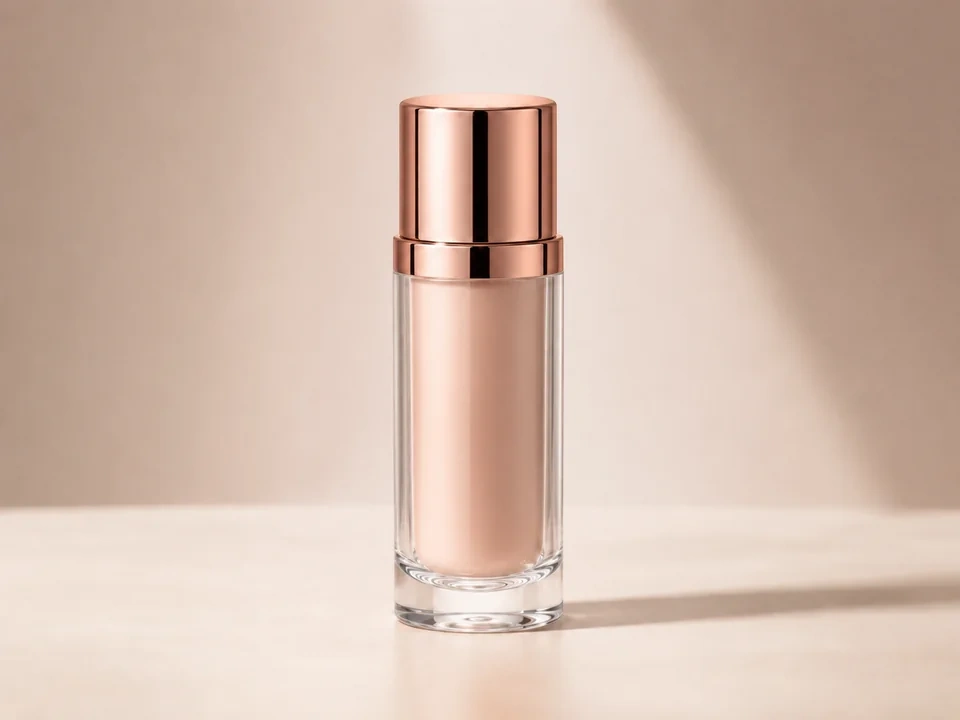
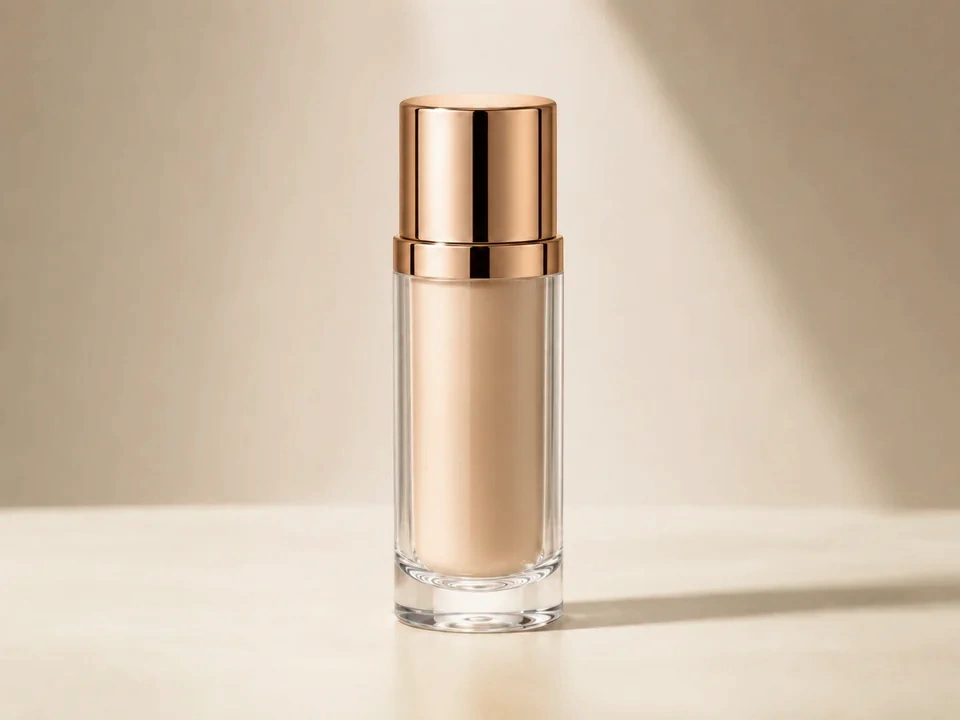
Check the lipstick shade
The color inside the bottle should move in the direction you want, not become another color.
Watch the cap
The rose-gold cap should stay metallic, not yellow or flat.
Look at the background
The beige backdrop and soft shadow should not pick up a green or pink cast.
How to use it
Run hue review in this order
Upload one image
Use the image that needs this specific adjustment check. The tool keeps the original beside the edited preview.
- Good examples: makeup shade checks, product color tests, packaging edits, brand assets, flowers, and graphics.
- Use a clean source file if product color, glass edges, labels, or background color matters.
- Use the original photo or a clean export if you have it. Reposted screenshots can make color harder to judge.
Move hue in small steps
Hue changes where colors sit. Small moves make it easier to change the product shade without tinting the whole image.
- Shift hue a little if the product color needs a different direction.
- Use a smaller move if the cap, background, or glass edge changes too much.
- Reset and try again if neutral areas pick up a strong color.
Use the slider on important areas
Drag across the parts people read first, then check the areas most likely to break.
- Drag over the lipstick shade first.
- Move across the rose-gold cap and clear glass edge.
- Check the beige background and soft shadow before keeping the edit.
Read the result cards
The cards summarize the size and direction of the change. Look back at the preview to judge the visible result.
- If a card shows a big change, go back to the image.
- Look back at the lipstick shade, cap, glass edge, and background.
- Keep the edit only if the product still looks believable.
Examples
Common hue fixes
Lipstick shifts too far
The shade inside the bottle starts looking like a different product.
- Use a smaller hue move.
- Check the color inside the bottle.
- Compare it against the cap and background.
The shade should move slightly without losing the product identity.
Cap loses its metal look
The rose-gold cap can turn yellow, red, or flat after a hue shift.
- Reduce the hue move.
- Check the cap highlight and shadow.
- Look back at the lipstick shade after fixing the cap.
The cap should stay metallic and warm.
Background picks up color
The beige background can turn green, pink, or muddy.
- Use a smaller move.
- Check the background and soft shadow.
- Keep the glass edge clear.
The product can shift, but the background should stay believable.
Result checks
What to inspect after hue changes
Lipstick shade
Check the color inside the bottle before judging the whole image.
Cap and highlights
Check the rose-gold cap, bright highlights, and darker metal edges.
Glass edge
Clear glass should not pick up a strong colored edge.
Background
Check the beige backdrop and soft shadow for green, pink, or muddy color.
Hue effects
What hue changes
Small hue move
- The main color shifts slightly.
- Use it when a product shade needs a small direction change.
- Check the lipstick shade and cap.
Large hue move
- Several colors can change at once.
- Use it only for creative edits.
- Check the background, glass edge, and highlights.
Neutral areas
- Beige, white, and gray areas can pick up unwanted color.
- Use them as warning spots.
- Check the background and soft shadow.
Product identity
- A color shift can make the item look like a different product.
- Use it before saving a product edit.
- Check the shade inside the bottle.
Decisions
How to act on the hue result
Shade moves correctly
Keep the edit if the lipstick shifts as intended and the cap, glass, and background still look believable.
Product looks wrong
Reduce the move if the lipstick looks like a different product or the cap turns yellow.
Only color strength is wrong
Use saturation or vibrance if the color direction is fine but the image needs more or less color.
Common issues
What can make hue review misleading
Lipstick changes identity
A small hue move can quickly make the shade look like a different product.
Cap turns yellow
The rose-gold cap should stay metallic and warm, not yellow or flat.
Glass edge gets tinted
Clear glass can pick up color along the bottle edge.
Background shifts
The beige backdrop should not turn green, pink, or muddy.
Try it