Check the window
The window should stay bright, but the frame and outdoor leaves still need to be visible.
Watch the plants
Plant leaves can gain depth, but they should not turn too dark or crunchy.
Look at the room shadows
The sofa, rug, and coffee table shadows should stay warm, not turn too dark.
How to use it
Run dehaze review in this order
Use the living room example
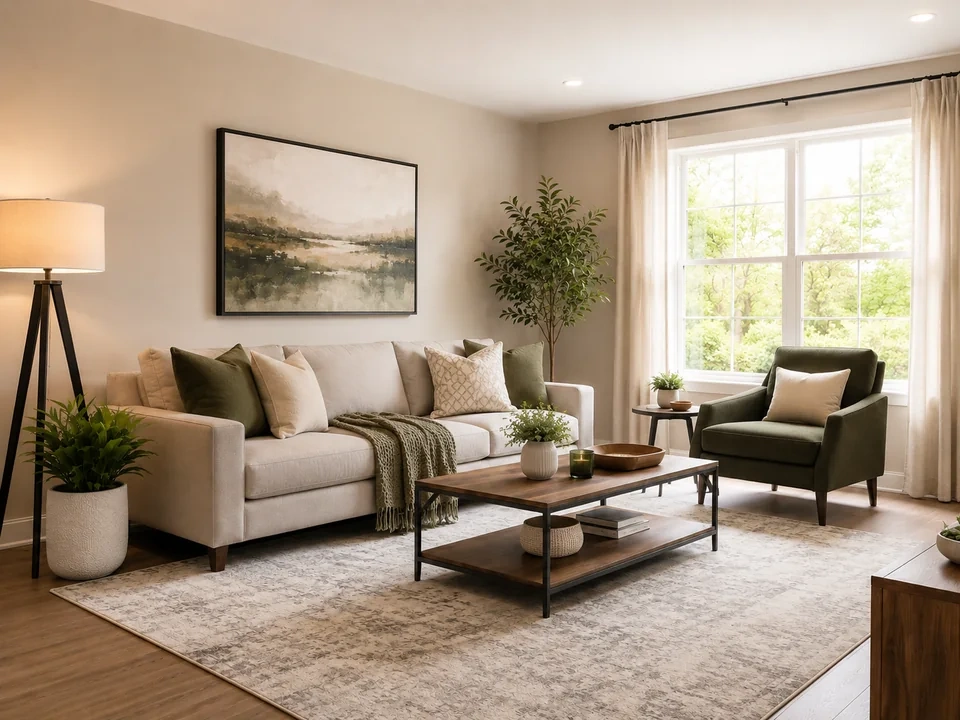
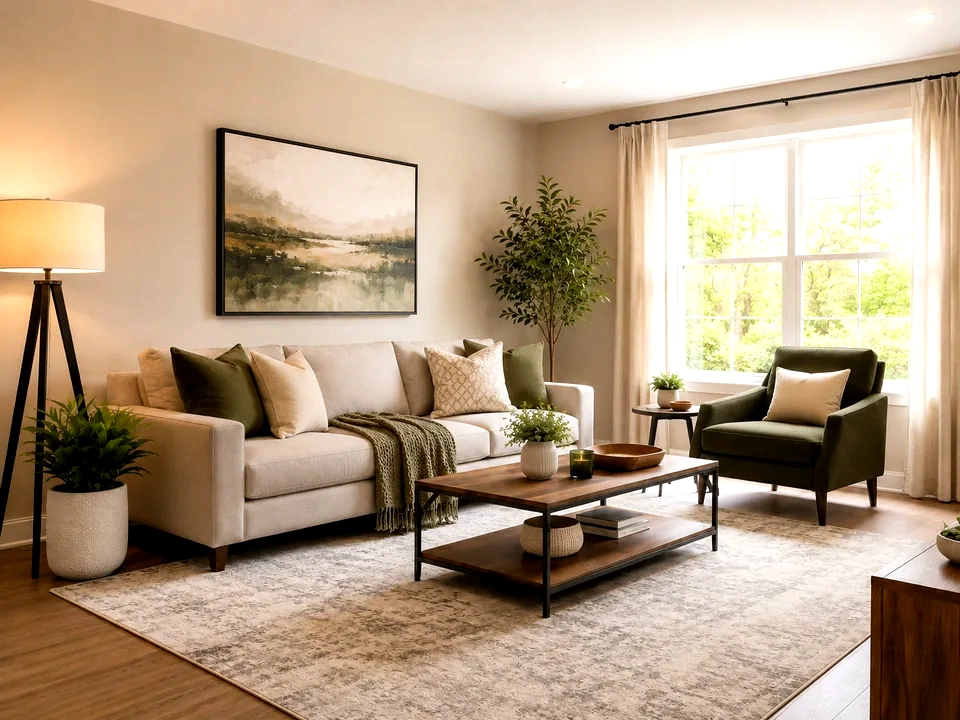
Start with the reference image on this page. The same checks apply when you compare an interior photo with window light, plants, fabric, and warm shadows.
- In this example, the bright window is the first area to check.
- The plant leaves and wall art show whether edges are getting too harsh.
- The sofa, rug, and coffee table should keep a warm indoor feel.
Move dehaze in small steps
Dehaze adds depth and contrast. Small moves help the room feel clearer without washing out the window or making the furniture shadows too dark.
- Raise dehaze a little if the room feels hazy or flat.
- Use a smaller move if the window frame or curtains get harsh.
- Reduce dehaze if the plants, rug, or coffee table shadows get too dark.
Use the slider on important areas
Drag across the parts people read first, then check the areas most likely to break.
- Drag over the window and curtains first.
- Move across the plant, sofa, wall art, and coffee table.
- Check the rug and darker furniture shadows before keeping the edit.
Read the result cards
The cards summarize the size and direction of the change. Look back at the preview to judge the visible result.
- If depth shows a big change, go back to the window and plants.
- Look back at the sofa, rug, coffee table, and wall art.
- Keep the edit only if the room looks clearer without feeling overcooked.
Examples
Common dehaze fixes
Window gets washed out
The room looks clearer, but the window frame and outdoor leaves start disappearing.
- Use a smaller dehaze move.
- Check the white frame and curtain edge.
- Look back at the plants after reducing it.
The window can stay bright, but the frame and leaves should still be visible.
Plants get too dark
Leaf detail stands out, but the plant starts losing lighter leaf edges.
- Reduce dehaze slightly.
- Check the tall plant near the window.
- Compare it with the small plant on the table.
Leaves should keep depth without turning harsh.
Room shadows get too dark
The sofa and coffee table gain contrast, but the rug and table legs start losing detail.
- Lower the dehaze amount.
- Check the rug, sofa base, and table legs.
- Return to the window before keeping the result.
Shadows should add shape without covering detail.
Result checks
What to inspect after dehaze changes
Window and curtains
Check the bright window, white frame, curtain folds, and outdoor greenery.
Plants
Check the tall plant near the window and the small plant on the coffee table.
Furniture
Check the sofa, green chair, coffee table, and darker table legs.
Rug and wall art
Check the rug pattern and framed artwork for harsh contrast.
Dehaze effects
What dehaze changes
Small dehaze move
- Room depth and edge contrast become stronger.
- Use it when the room feels a little flat.
- Check the window, plants, sofa, and coffee table.
Large dehaze move
- Bright areas can wash out and dark areas can lose detail.
- Use it only when the image is very flat.
- Check the window frame, curtains, plants, and rug.
Window light
- The frame and outdoor leaves can lose detail quickly.
- Reduce dehaze if the window becomes a flat bright area.
- Check the window and curtain edge.
Room shadows
- Furniture shadows can become too dark.
- Reduce dehaze if the rug or table legs start losing detail.
- Check the coffee table, sofa base, rug, and chair.
Decisions
How to act on the dehaze result
Room has clearer depth
Keep the edit if the window, plants, sofa, rug, and coffee table all stay believable.
Window or shadows break
Reduce dehaze if the window loses detail, plants get crunchy, or furniture shadows turn too dark.
Only brightness is wrong
Use exposure or brightness if the room mainly needs a lighter or darker overall result.
Common issues
What can make dehaze review misleading
More contrast can feel clearer
The room may look better at first while the window and shadows start breaking.
Plants can get crunchy
Leaves near the window show harsh dehaze quickly.
Warm shadows can get too dark
The sofa base, rug pattern, and table legs can lose detail after a strong move.
Window light needs restraint
The bright frame and curtains should not become the loudest part of the room.
Try it