Check the face
The face should stay naturally lit. The vignette should not make the forehead, cheeks, or chin look dull.
Watch the hair
Dark hair near the sides can blend into the background if the corners get too dark.
Look at the background
The gray background should darken smoothly, without a clear circle around the face.
How to use it
Run vignette review in this order
Use the portrait example
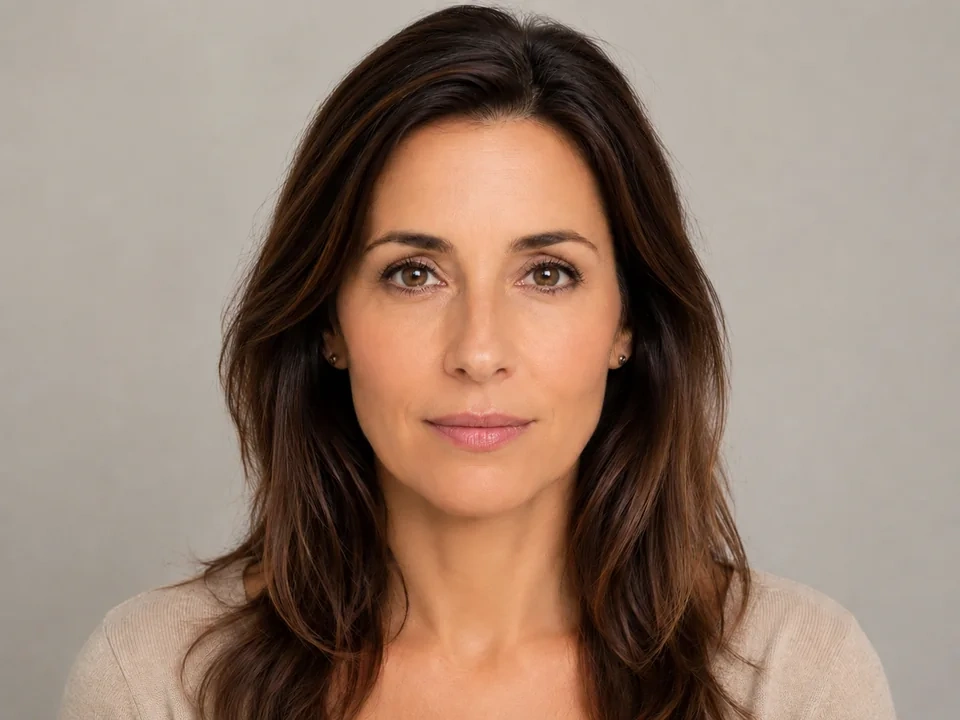
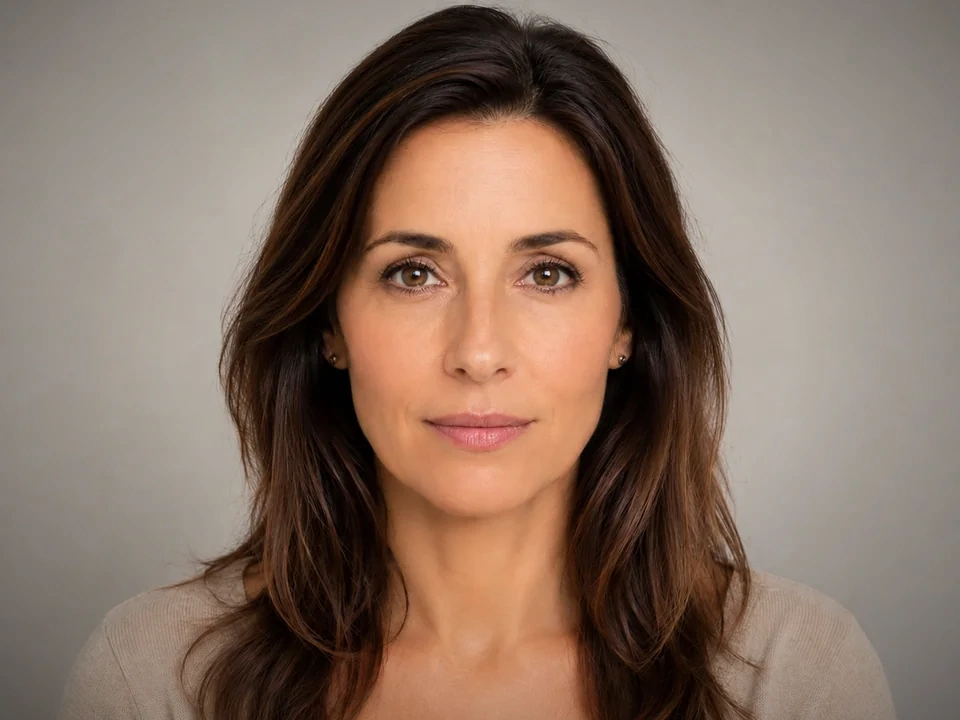
Start with the reference image on this page. The same checks apply when you compare a centered portrait with hair near the edges and a plain background.
- In this example, the face is the first brightness check.
- Hair near the left and right sides should not disappear into the corners.
- The gray background should darken smoothly, not show a clear circle.
Move vignette in small steps
Vignette changes corner brightness. Small moves can pull attention to the face without making the dark corners too obvious.
- Add a small vignette if the portrait needs more focus.
- Use a smaller move if the shoulders or hair get too dark.
- Reduce vignette if the background shows a visible circle.
Use the slider on important areas
Drag across the parts people read first, then check the areas most likely to break.
- Drag over the face and eyes first.
- Move across the hair, shoulders, and sweater neckline.
- Check all four corners of the gray background before keeping the edit.
Read the result cards
The cards summarize the size and direction of the change. Look back at the preview to judge the visible result.
- If corners show a big change, go back to the background edges.
- Look back at the face, hair, shoulders, and sweater.
- Keep the edit only if the face stays natural and the corner darkening stays subtle.
Examples
Common vignette fixes
Corners get too dark
The face stands out more, but the dark corners become the first thing you notice.
- Use a smaller vignette.
- Check the top corners and side edges.
- Look back at the face after reducing it.
Corners should guide attention without drawing attention to the effect.
Hair blends into the edge
Dark hair near the sides starts merging with the vignette.
- Reduce vignette strength.
- Check the hair on both sides of the face.
- Compare the shoulders and sweater neckline.
Hair should keep shape against the background.
Face gets dull
The vignette pulls focus inward, but the skin starts looking dim.
- Back off the vignette.
- Check forehead, cheeks, and chin.
- Keep the eyes and lips natural.
The face should stay evenly readable.
Result checks
What to inspect after vignette changes
Face
Check the forehead, cheeks, chin, eyes, and lips for unwanted dimming.
Hair
Check both sides of the hair where dark strands meet the gray background.
Shoulders and sweater
Check the neckline, shoulder edges, and lower corners.
Background corners
Check all four corners for a clear circle or uneven dark patches.
Vignette effects
What vignette changes
Small vignette
- The corners get slightly darker and attention moves toward the face.
- Use it when the portrait needs subtle focus.
- Check the face, hair, and background corners.
Strong vignette
- Edges can look too dark or too obvious.
- Use it only for a deliberate style.
- Check hair, shoulders, and all four corners.
Hair near edges
- Dark strands can merge with the vignette.
- Reduce the effect if hair loses shape.
- Check both sides of the hair.
Gray background
- A clear circle can appear if the corner darkening is too obvious.
- Reduce the effect if the background looks uneven.
- Check the top corners and side edges.
Decisions
How to act on the vignette result
Focus improves subtly
Keep the edit if the face gets more attention while hair, shoulders, and background corners still look natural.
Corners are too obvious
Reduce vignette if the corners form a clear circle, hair disappears, or the face gets dull.
The face needs light, not corners
Use exposure or brightness if the face itself needs a clearer light adjustment.
Common issues
What can make vignette review misleading
More focus can hide dark corners
The face may stand out while the corner darkening becomes too obvious.
Hair can disappear
Dark hair near the sides can blend into the vignette.
A circle can show on plain backgrounds
The gray background makes uneven corner darkening easy to see.
Face brightness still matters
A vignette cannot fix a face that needs a direct light adjustment.
Try it