Check the snow first
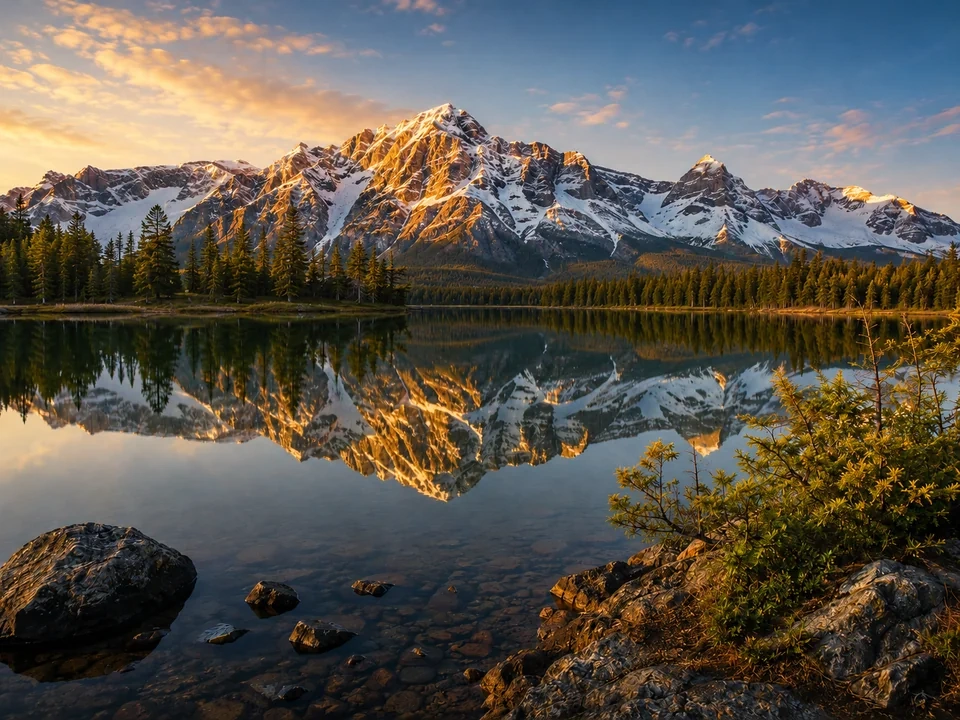
The snow on the peaks should look clean, not yellow, blue, or gray.
Keep the lake natural
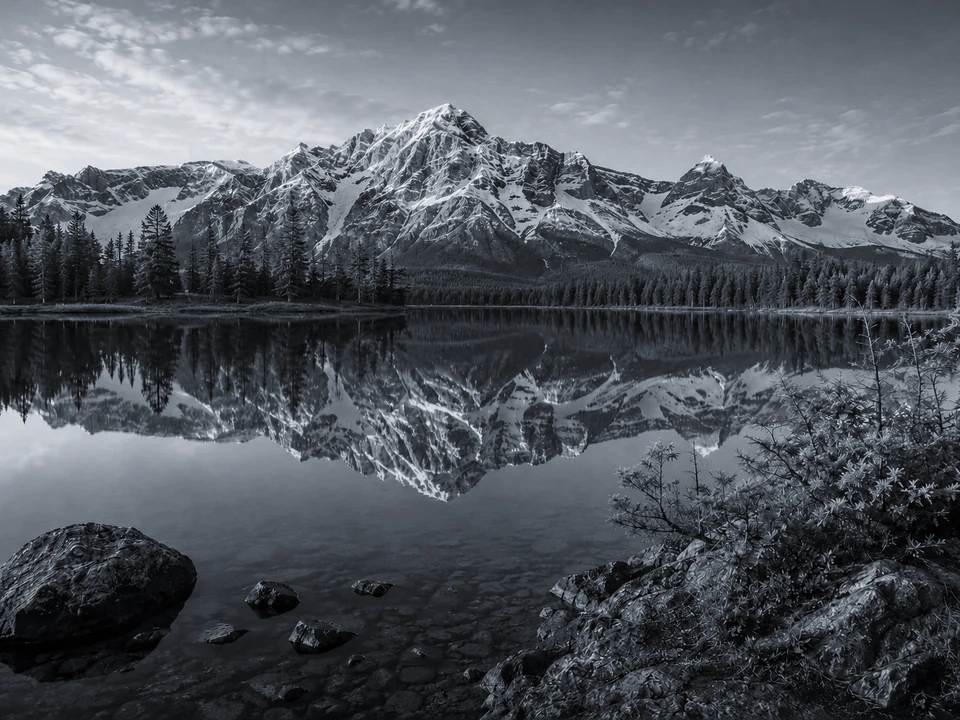
The reflection should still look like water. If it turns flat gray, the correction went too far.
Leave some sunset warmth
The mountain light can be warm and still look natural. Do not remove all of the golden light from the ridge.
How to use it
Run white balance review in this order
Upload one image
Use the image that needs this specific adjustment check. The tool keeps the original beside the edited preview.
- Good examples: snowy landscapes, golden mountain scenes, blue shade, yellow indoor photos, and scans.
- Use a clean source file if snow, water, sky, or gray rocks are important.
- Heavy compression can make skies, water, and shaded trees harder to judge.
Move white balance in small steps
White balance changes a warm or cool cast. Small moves make it easier to clean up the snow without draining the whole scene.
- Cool the image a little if the snow looks yellow.
- Warm it back up if the lake, trees, and rocks start turning gray.
- Use tint only if snow or shadows lean green or magenta.
Use the slider on important areas
Drag across the parts people read first, then check the areas most likely to break.
- Drag over the snow on the peaks first.
- Move across the lake reflection and foreground rocks.
- Check the tree line and sky before keeping the edit.
Read the result cards
The cards summarize the size and direction of the change. Look back at the preview to judge the visible result.
- Cast cards show whether the change is warmer or cooler.
- Snow and lake areas still need a visual check.
- Use the preview for the final call if the scene starts looking gray.
Examples
Common white balance fixes
Snow looks too yellow
Warm light can make the snow look dirty or cream-colored.
- Cool the temperature a little.
- Check the snow on the peaks and the bright reflection in the lake.
- Keep some warmth on the sunlit ridge.
The snow should look cleaner while the mountain still feels like a real sunset scene.
The lake turns gray
A strong correction can remove too much color from the water and reflection.
- Use a smaller temperature move.
- Check the lake surface and the reflection under the mountains.
- Compare the water against the rocks and trees.
The lake should look calmer, not lifeless.
Shadows go blue
The shaded trees and rocks can become too cold after a heavy correction.
- Reduce the cool move.
- Check the tree line, foreground rocks, and dark water.
- Use tint only if the shadows lean green or magenta.
Dark areas should stay believable and not turn blue-gray.
Result checks
What to inspect after white balance changes
Snow and clouds
Check the peak snow, small cloud areas, and bright water highlights.
Lake reflection
Check whether the reflected mountains still have believable color.
Trees and shadows
Check the tree line, shaded rocks, dark water, and foreground areas.
Sunlit ridge
The golden light on the ridge should still be there. If it turns gray-white, the correction is too strong.
White Balance effects
What white balance changes
Temperature
- The image moves warmer or cooler.
- Use it when the whole photo feels too yellow or too blue.
- Check snow, clouds, rocks, and water highlights.
Tint
- Green or magenta casts move back toward neutral.
- Use it when shade, scans, or indoor light add a green or pink cast.
- Check gray rocks, snow, and shadow areas.
Neutral areas
- White and gray parts reveal the cast fastest.
- Use them as reference points after each move.
- Check peak snow, gray rocks, and clouds.
Scene mood
- A correction can remove natural warm light.
- Use it after the snow looks cleaner.
- Check the sunlit ridge and lake reflection.
Decisions
How to act on the white balance result
Snow looks cleaner
Keep the edit if the snow looks cleaner and the lake still has believable color.
Scene turns gray
Reduce the move if the lake, rocks, or trees lose too much color.
The photo is just too dark
Use exposure or brightness if the problem is light level, not a yellow or blue cast.
Common issues
What can make white balance review misleading
Snow turns gray
White snow should not become dull gray after the correction.
The lake loses warmth
The water can look technically neutral but less like the original scene.
Shadows turn blue
Trees, rocks, and dark water can become too cold after a strong cool move.
Sunset light disappears
Some golden light can belong in the photo. Removing all of it can make the scene feel flat.
Try it